Experience enhancements designed to reduce everyday friction, improve mobility, strengthen the Studio experience, and expand connections between Revu and AI tools.
Key updates
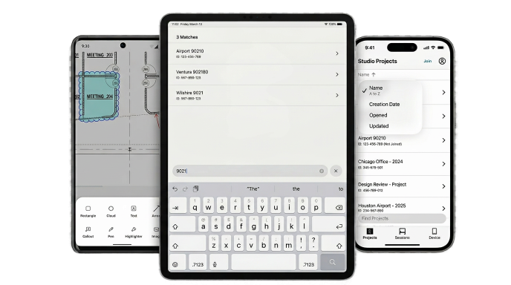
Mobile enhancements – Users can quickly search, sort, and navigate large drawing sets using filters and bookmark navigation on iOS, while Android users can capture field details more efficiently with precise callouts, clouds, and ellipses.
Connect more of Revu to more AIs – Bluebeam Max now works with Claude, Anything LLM, and GitHub Copilot CLI to help generate a wide variety of markups, build custom columns, and update markup properties faster for supercharged productivity.
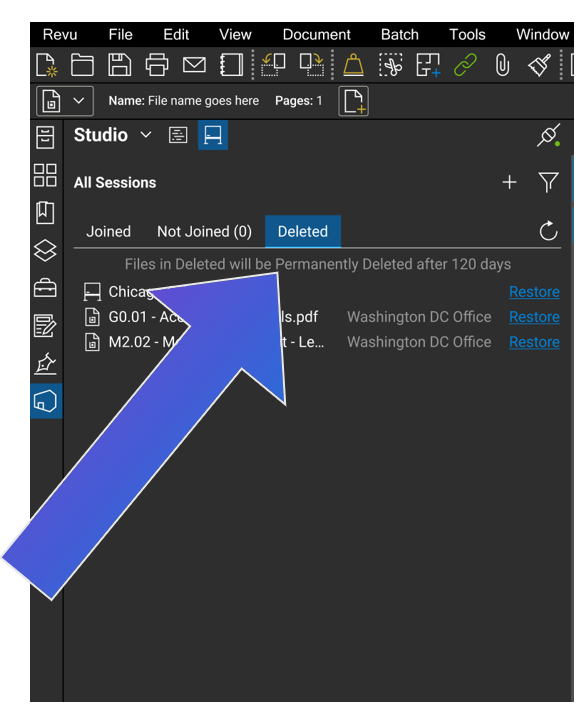
Studio File Recovery – Users can recover deleted Studio Sessions and files without contacting support, helping to keep projects moving with minimal disruption.
Intelligent Studio Project Search – Available in all regions, users can find content faster using keyword filter, and natural language search capabilities.
Bluebeam on Mobile Enhancements
Easier drawing navigation and more markups on the go
[Apple] Search Sessions and Projects: Find any Session or Project instantly by typing a keyword. Stop the scavenger hunt.
[Apple] Sort Sessions and Projects list: Sort by alphabetical order, creation date, last opened, last updated. Get to the right file fast, even if you can’t remember the name.
[Apple] Navigate PDFs using existing bookmarks: Open any bookmark straight from the editor and land exactly where you need. Navigate massive drawing sets in seconds.
[Google Play] Mark up drawings with more details: You can now use callouts, clouds, and ellipse. Capture information with greater precision directly from the field
Bluebeam on Web Enhancements – Available Late July 2026
Do more from your web browser
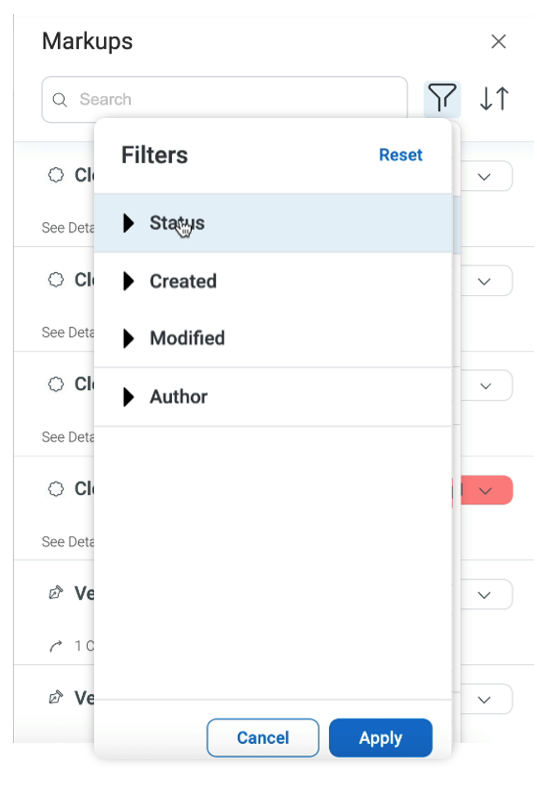
Filter through markups: Filter by status, date range, or author to quickly surface what matters, all from your web browser.
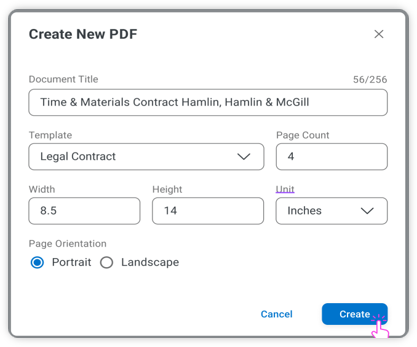
Create and manage PDFs: Generate, edit, and organize PDFs directly in your browser without ever opening the desktop app.
Recover deleted Studio Sessions
Access deleted Sessions without the hassle
Studio hosts will now be able to easily recover deleted Sessions and files, so they don’t waste time reaching out to Bluebeam support.
Accidentally deleted a session, or need to reference an old Session? Getting it back is as easy as clicking a button!
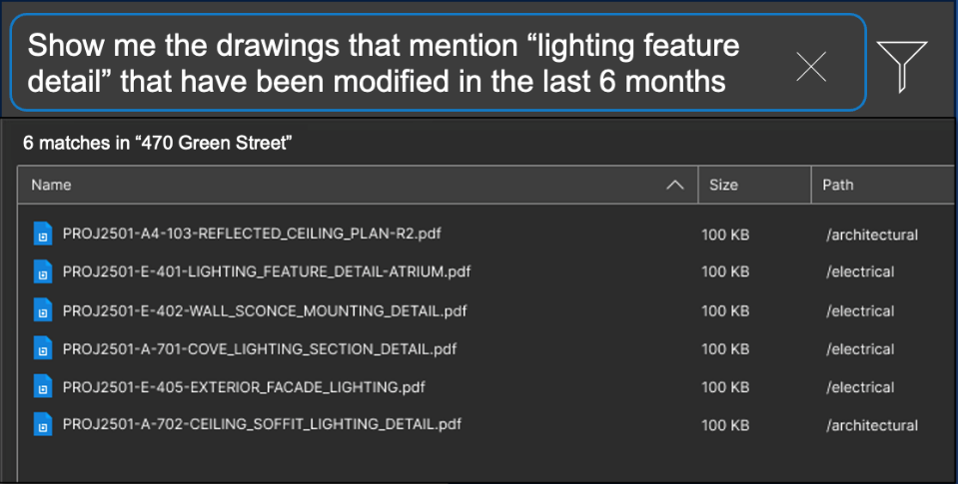
Intelligent Studio Project Search
Quickly find what you need in Studio Projects
You can now search all folders in Studio Projects using keywords, filters, or even natural language queries like “Find me all the cloud markups that mention electrical?” AI instantly surfaces relevant files, content, and markups, eliminating manual searching and helping you find what you need faster.
Markups related to queries are surfaced with deep links that take them straight to the right spot in the file.
Less time searching, more time doing.
Revu Connected to AI (MCP)
Connect more of Revu to more AIs.
With Bluebeam Max, two new AI clients (AnythingLLM & GitHub Copilot CLI) can now connect to Revu to allow for greater flexibility.
AI can now search better than ever, generate, reshape, and modify a wide range of markups — Polygons, Polyline, Lines, Text Boxes, Callouts, Rectangle, Ellipse, Text Markups — plus create custom columns and custom status options.
Speed up drawing reviews and takeoffs, have AI turn concepts into sketches, and set up documents for Sessions faster than ever. The possibilities are endless.
See the latest Bluebeam features in action.
Download your free trial of Bluebeam or contact our team below to get started!